

What is Intuned Agent?
Intuned Agent is an AI-powered code generation agent that creates and edits browser automation projects. It’s your automation engineer, available anytime to:- Create scrapers from natural language prompts
- Apply code changes to existing Intuned projects
- Maintain and fix failed automations
Prerequisites
- An active Intuned account (sign up here). No credit card required—Intuned has a free plan.
What you’ll build
You’ll instruct Intuned Agent to build a standard scraper that scrapes Apple’s career page. The scraper will:- Extract job postings with a defined JSON schema
- Paginate through the full job list
- Capture detailed information for each posting
Create your first scraper
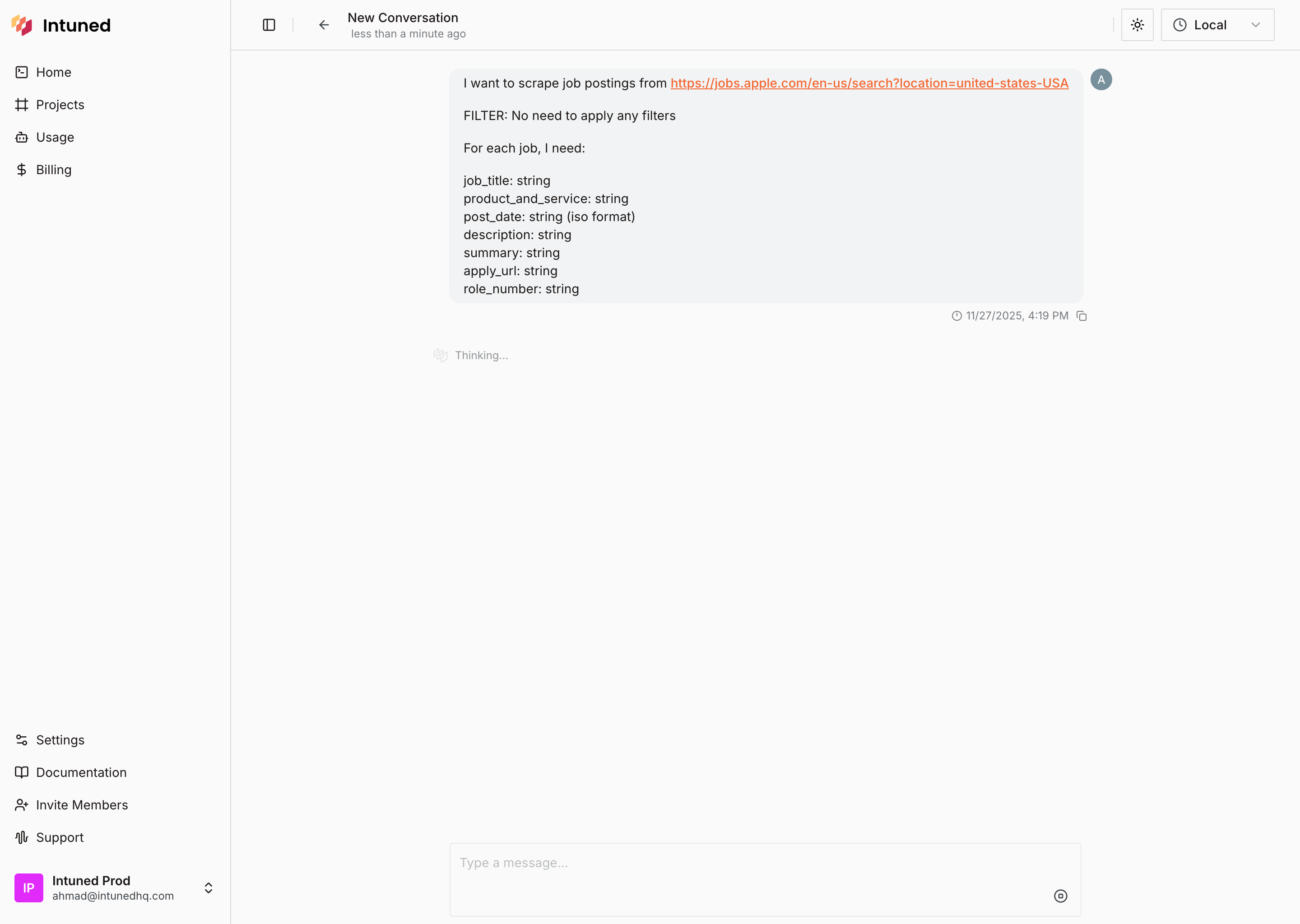
Open Intuned Agent home and enter your prompt
- Go to app.intuned.io/agent.
- Copy the prompt below and paste it into the Intuned Agent input.
- Start the conversation.
Prompt
Review the scraper specifications
The agent replies with scraper specifications for you to review.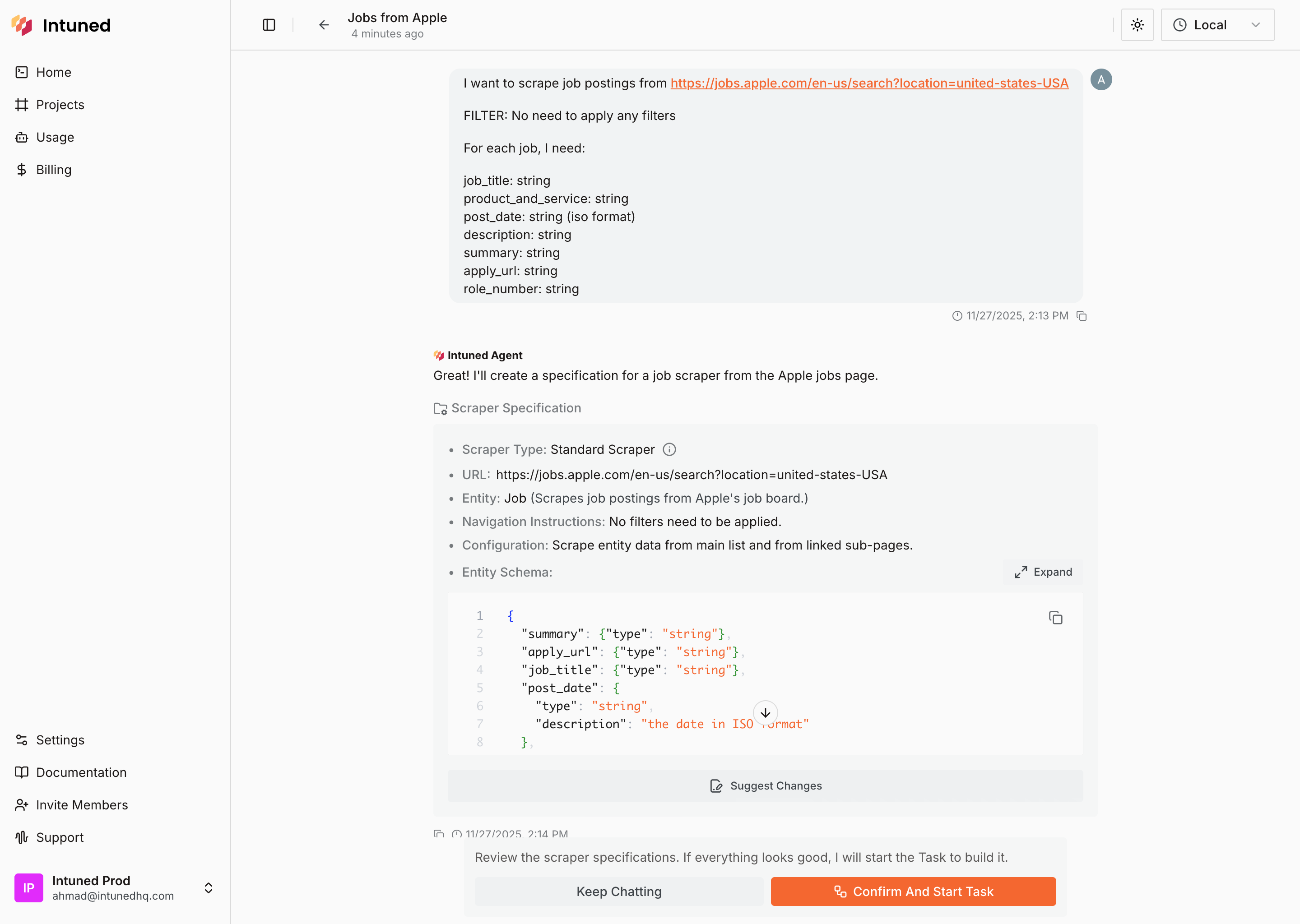
- Select Suggest Changes to request modifications.
- Select Keep Chatting to continue the conversation.
- Select Confirm And Start Task to begin building.
Wait for the agent to build your scraper
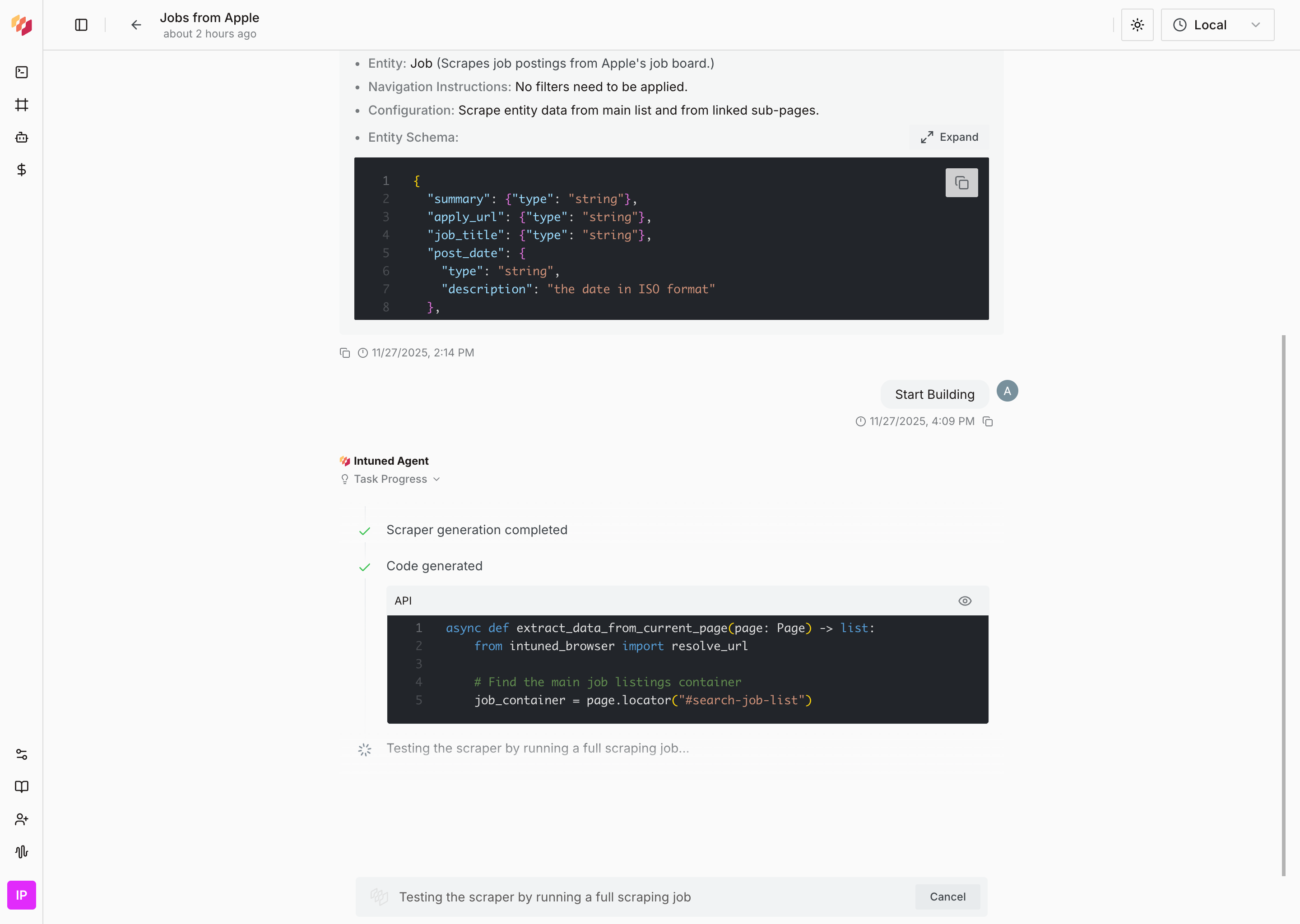
This takes about an hour to complete. The agent tests the scraper end-to-end and verifies that it works correctly.
Review the completed scraper
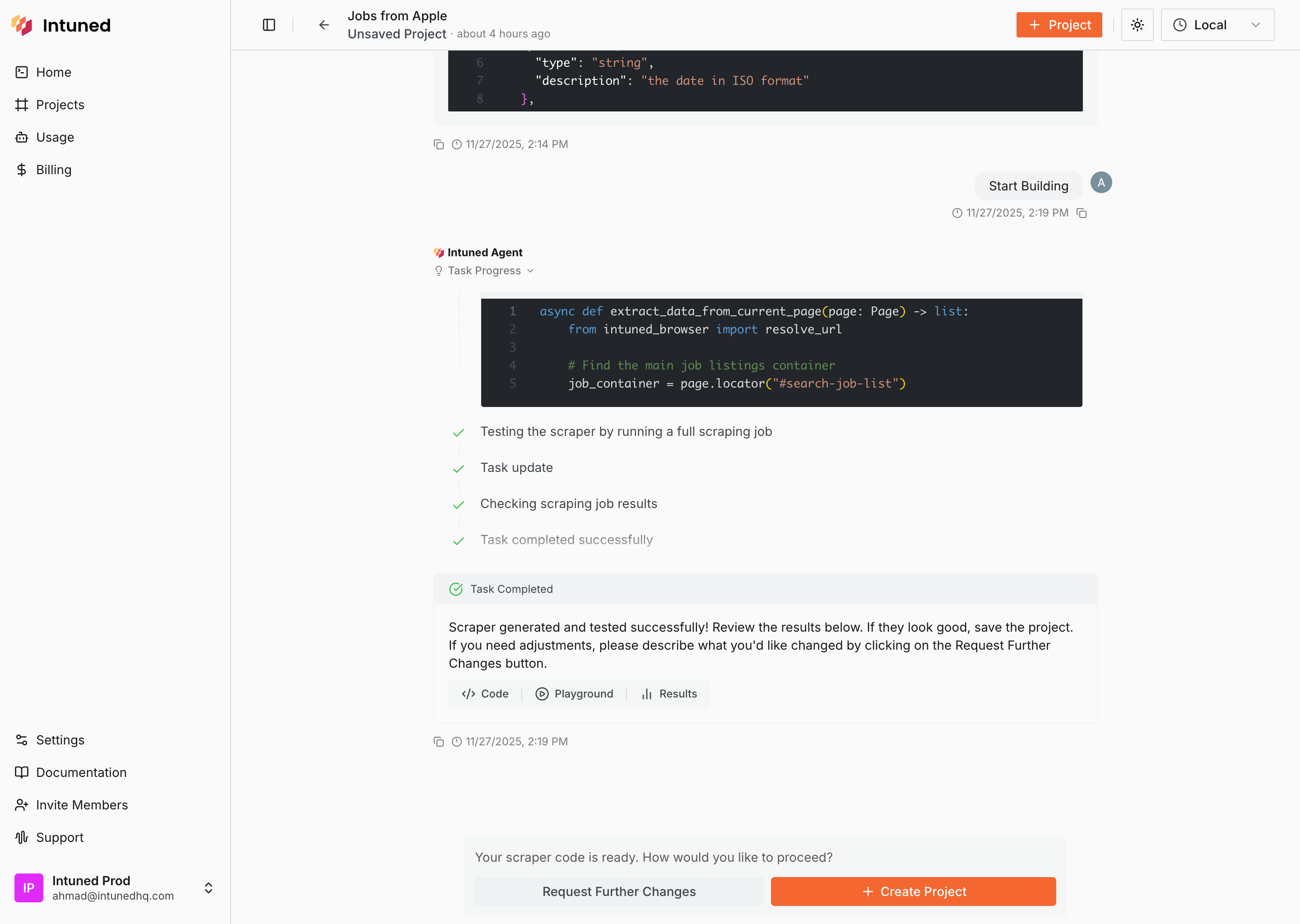
Inspect the generated code and results
Select Code to view the generated scraper code.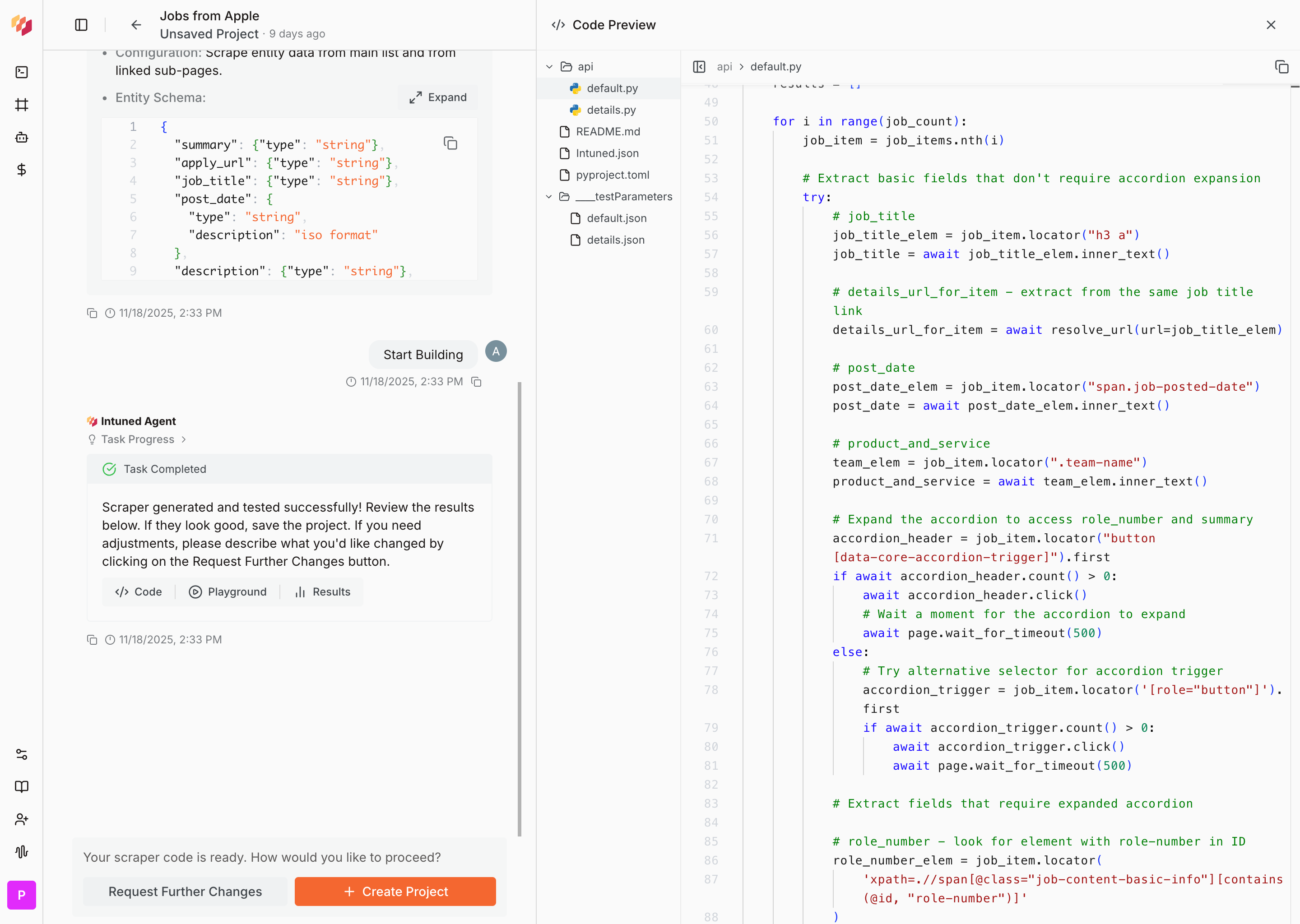
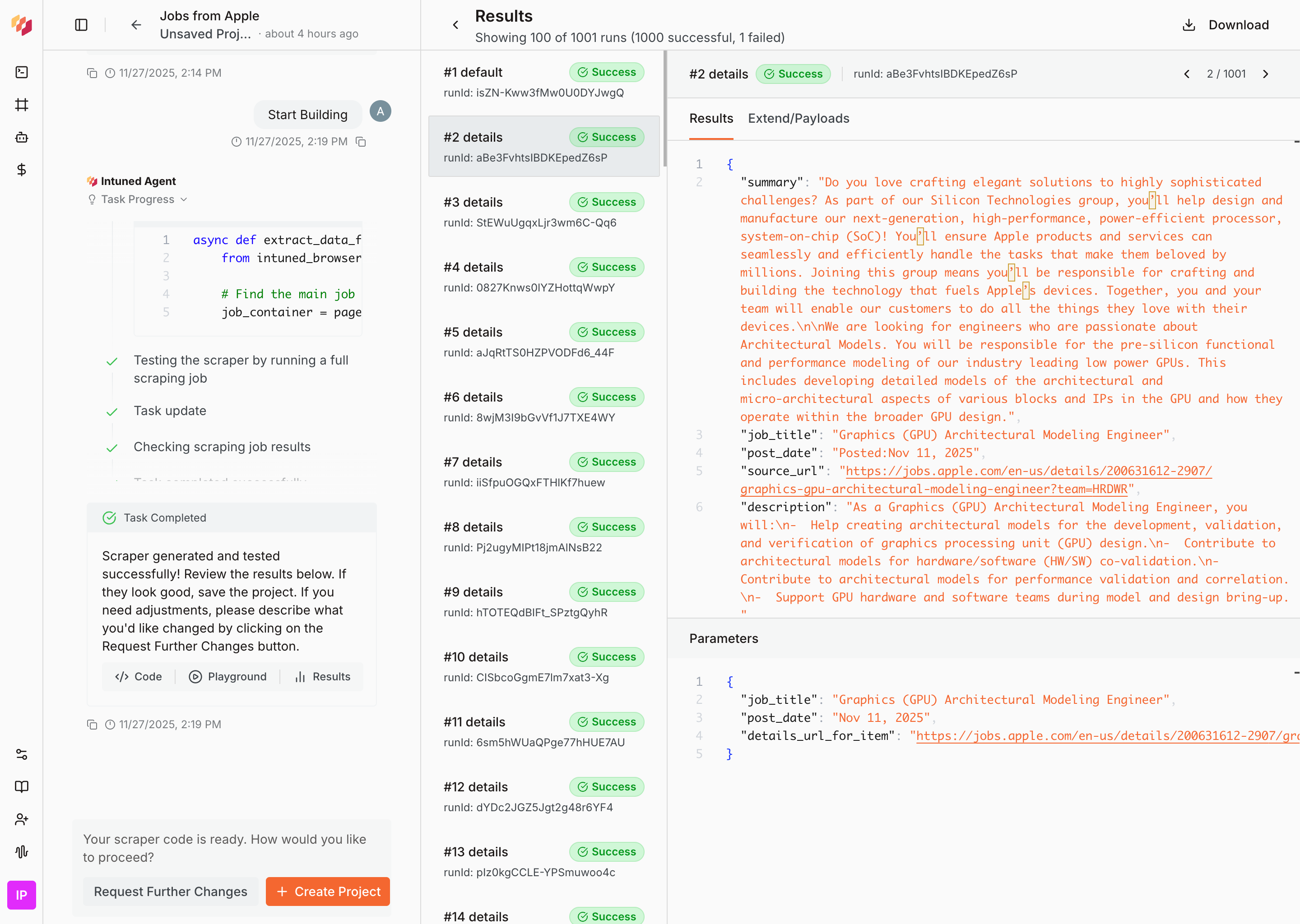
Deploy your project
Select Create Project to deploy the scraper as an Intuned project.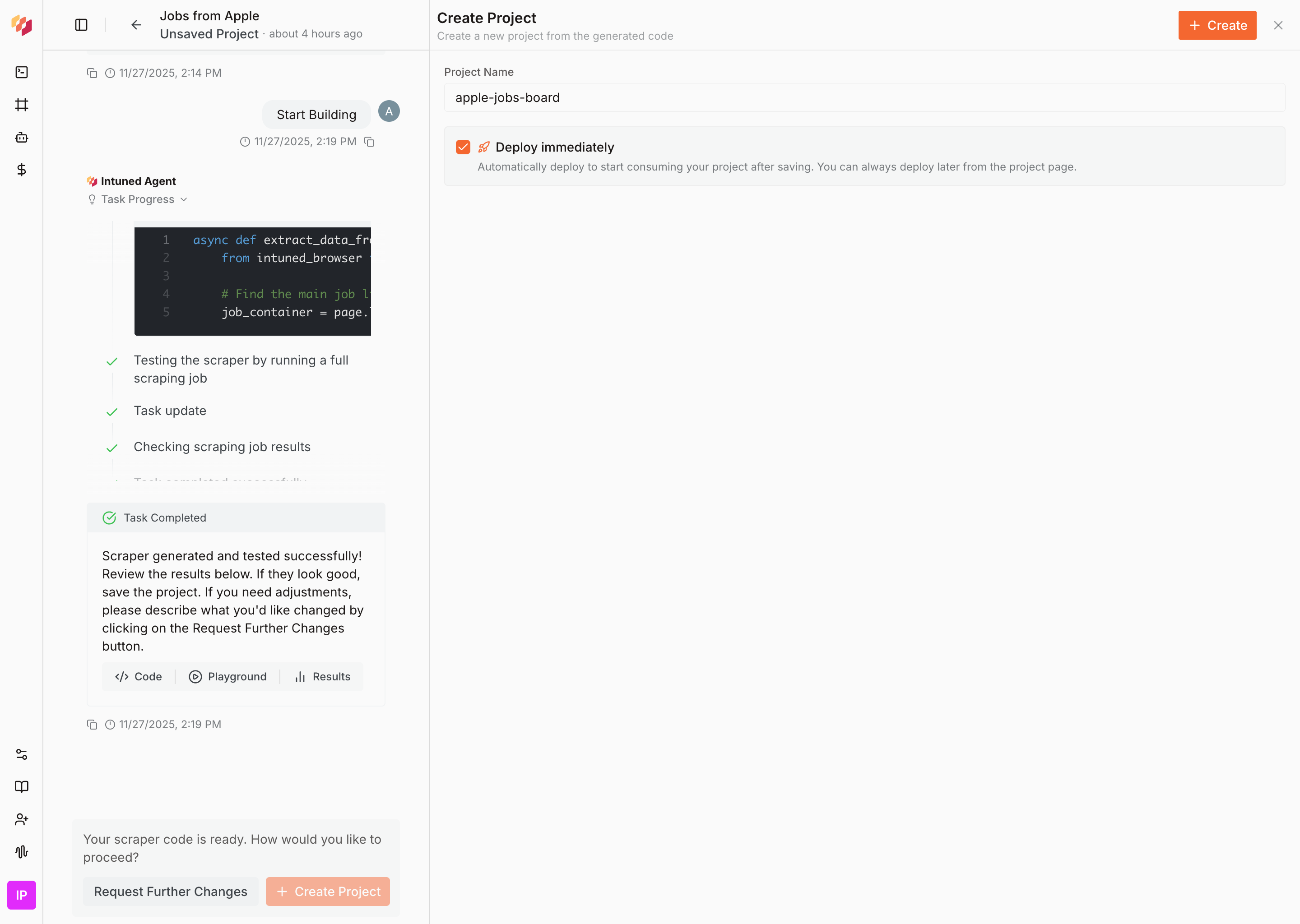
What’s next?
- Intuned Agent — Learn more about Intuned Agent’s capabilities, including editing existing projects, fixing failed runs, and advanced scraper configurations.
- Jobs — Jobs are the common way to run scrapers. Configure a schedule (daily, hourly, or custom) and define a sink to send your scraper results to a webhook, S3 bucket, or other destination.
- Authentication — For scrapers that require login, Intuned provides built-in authentication support. You define how to log in and how to verify a session, and Intuned handles the rest—validating sessions before runs, reusing them when possible, and recreating them when expired.
- Monitoring and traces — Every run generates detailed logs, browser traces, and session recordings. Use these tools to debug failures, verify your scraper is working correctly, and understand what happened during execution.
- Online IDE — Learn more about the Intuned IDE, which you can use to manually edit the scraper you just created.