

Overview
n8n is a workflow automation platform that connects services through a visual interface. This guide walks you through integrating Intuned with n8n. You’ll build a sales email workflow that crawls company websites and generates personalized outreach using AI—demonstrating how to call Intuned APIs from n8n workflows.This guide assumes you’re familiar with n8n basics. If you’re new to Intuned, start with the getting started guide.
Prerequisites
Before you begin, ensure you have the following:- An Intuned account with API credentials
- An n8n instance (cloud or self-hosted)
- The crawl4ai project deployed to your workspace
- An OpenAI API key
- A Gmail account for sending emails
What you can build
n8n + Intuned unlocks workflows that combine browser automation with hundreds of other services:- Sales outreach — Crawl prospect websites, generate personalized emails with AI, send via Gmail or Outlook
- Lead enrichment — Scrape company pages for contact info and push directly to your CRM
- Market research — Monitor competitor pricing, store in Airtable or Google Sheets, alert on Slack when prices change
- Content monitoring — Watch pages for updates, extract changes, notify your team
Guide
1. Get your Intuned API credentials
Get your API key and workspace ID
- Go to app.intuned.io
- Navigate to Settings > API Keys
- Create a new API key or use an existing one
- Find your Workspace ID in Workspace management
2. Import the n8n workflow
The example workflow demonstrates a complete automation pipeline: collecting form inputs, crawling a company website, generating a personalized sales email with AI, and sending it via Gmail.3. Understand the workflow structure
The workflow consists of 8 nodes that work together to create a complete automation pipeline: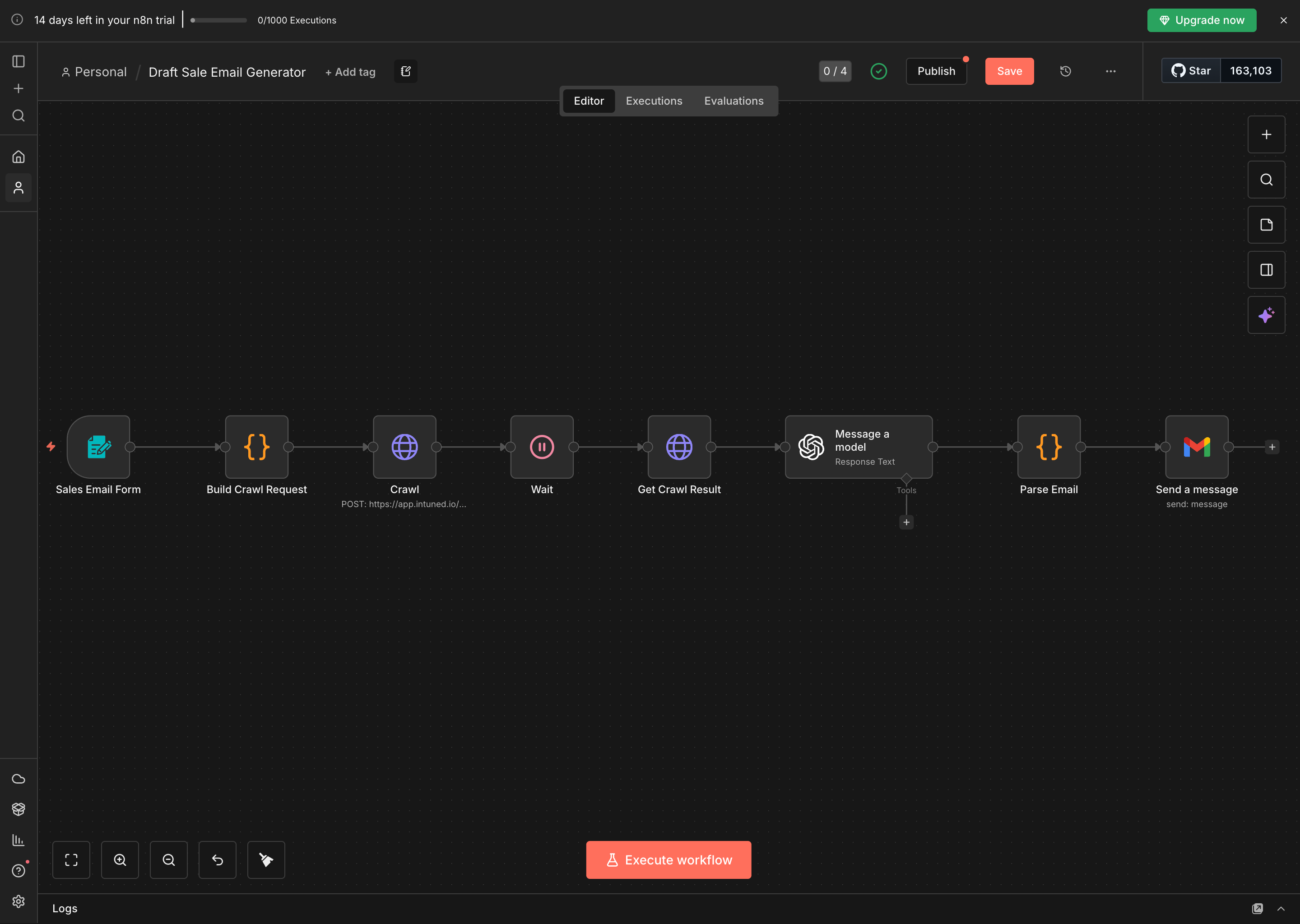
- Sales Email Form - Form trigger that collects user input (product details, target company URL, recipient info)
- Build Crawl Request - JavaScript code node that formats the request for Intuned’s API
- Crawl (HTTP Request) - Calls Intuned’s API to start crawling the target company website
- Wait - Pauses for 120 seconds to allow the crawl to complete (accounts for queue time + execution time)
- Get Crawl Result (HTTP Request) - Fetches the crawled data from Intuned
- Message a model (OpenAI) - Sends the crawled content + form inputs to GPT-4 to generate a personalized email
- Parse Email - JavaScript code node that extracts subject and body from the AI response
- Send a message (Gmail) - Sends the generated email via Gmail
4. Configure the Intuned API connection
Update the Crawl node
Open the Crawl HTTP Request node and update the configuration: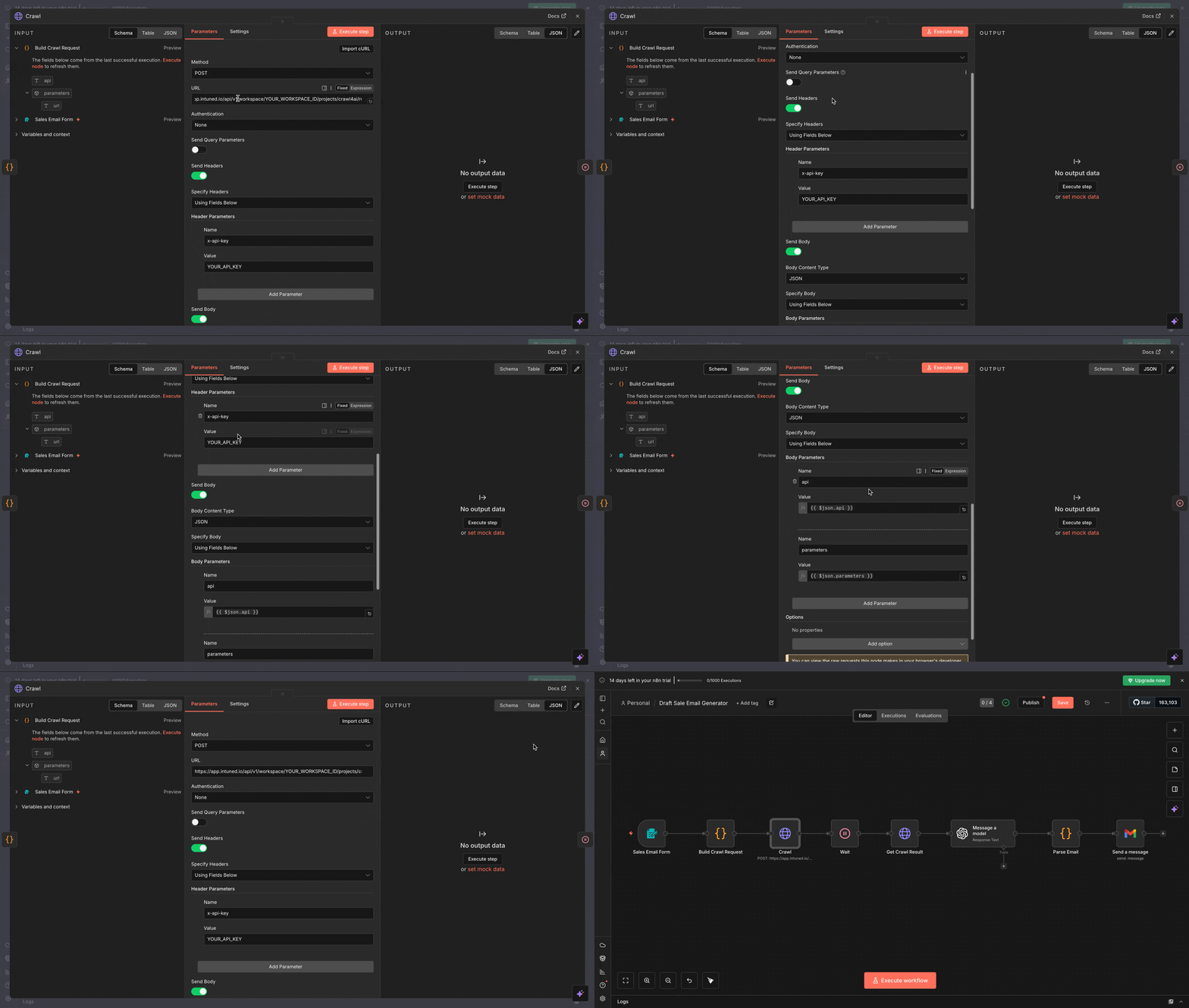
-
URL: Replace
YOUR_WORKSPACE_IDwith your actual workspace ID: -
Headers: Replace
YOUR_API_KEYwith your Intuned API key: - Body Parameters: These are already configured to pass the crawl request from the previous node
Update the Get Crawl Result node
Open the Get Crawl Result HTTP Request node and update:
-
URL: Replace
YOUR_WORKSPACE_IDwith your workspace ID:Note:{{ $json.runId }}is dynamic and comes from the Crawl node response - Headers: Use the same API key as the Crawl node
Understanding the Build Crawl Request code
The Build Crawl Request node formats the API request for Intuned. Here’s what it does:This code:
- Sets the API to
"simple-crawl"(the crawl4ai project’s main API) - Passes the target URL from the form input
- Formats it as the JSON body Intuned expects
5. Configure OpenAI and Gmail credentials
Set up OpenAI credentials
- Open the Message a model node
- Select Create New Credential under OpenAI API
- Enter your OpenAI API key
- Save the credential
Set up Gmail credentials
- Open the Send a message node
- Select Create New Credential under Gmail OAuth2
- Follow n8n’s OAuth flow to authorize your Gmail account
- Save the credential
6. Test the workflow
Run the workflow
- Select Execute workflow in the bottom to enable the workflow
- A UI form on another tab will open automatically
-
Fill in the form with test data:
- What are you selling?: “Developer productivity platform for automated code reviews and testing”
- Target company website: “https://github.com”
- Job title: “VP of Engineering”
- Recipient email: Your test email address
- Fill in remaining fields
- Submit the form and watch the workflow execute
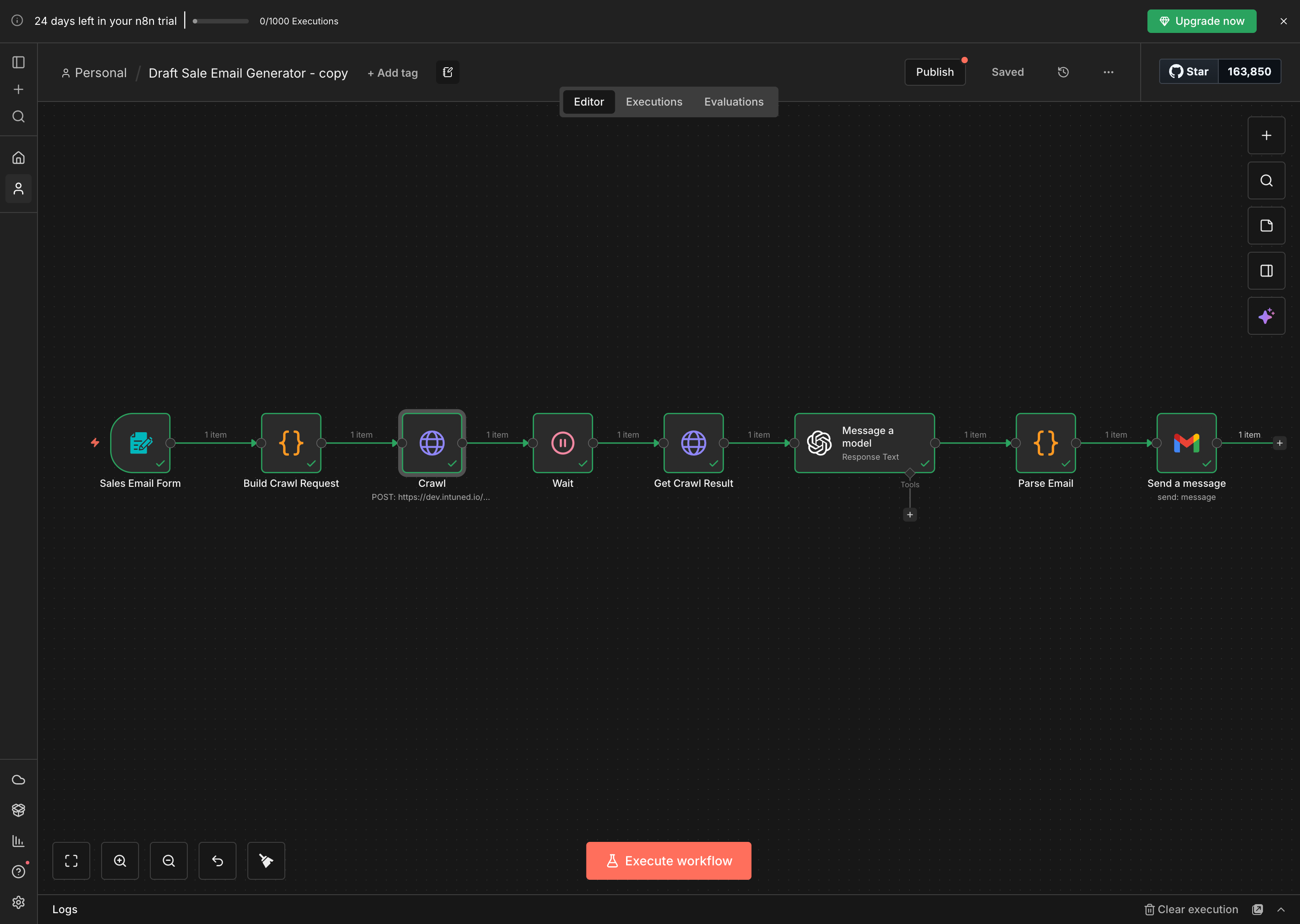
Monitor the execution
In n8n’s execution view, you can:
- See the data output from each node
- Verify the Crawl node received a
runId - Check that Get Crawl Result returned markdown content
- Review the AI-generated email in the Parse Email node
- Confirm the email was sent successfully
Best practices
- Use environment variables: Store API keys and workspace IDs in n8n’s credentials manager or environment variables, never hardcode them.
- Adjust wait times: The 120-second wait accounts for both queue time and crawl execution. Complex pages or busy projects may need longer. See Runs for how concurrency and queuing work.
- Handle errors: Add error workflows in n8n to handle API failures, timeout issues, or invalid crawl results gracefully.
- Monitor in Intuned dashboard: Check the Intuned dashboard to review Runs, debug failures, and monitor usage. See Observability and monitoring.
- Consider webhooks for production: For long-running crawls, use Intuned’s async webhook sinks instead of the Wait node to avoid blocking your workflow.
Related resources
- Intuned Projects — Learn how to structure and manage your Intuned projects
- API Reference — Complete API documentation for all Intuned endpoints
- Cookbook examples — Explore more browser automation projects and examples
- n8n HTTP Request docs — Official n8n documentation for HTTP Request nodes