

Overview
Intuned charges a fixed monthly plan cost plus pay-as-you-go for usage beyond your plan limits. Billing happens on the 1st of each month. Two pages help you monitor and control spending:Check your usage
Go to app.intuned.io/usage to see your consumption for the current billing period.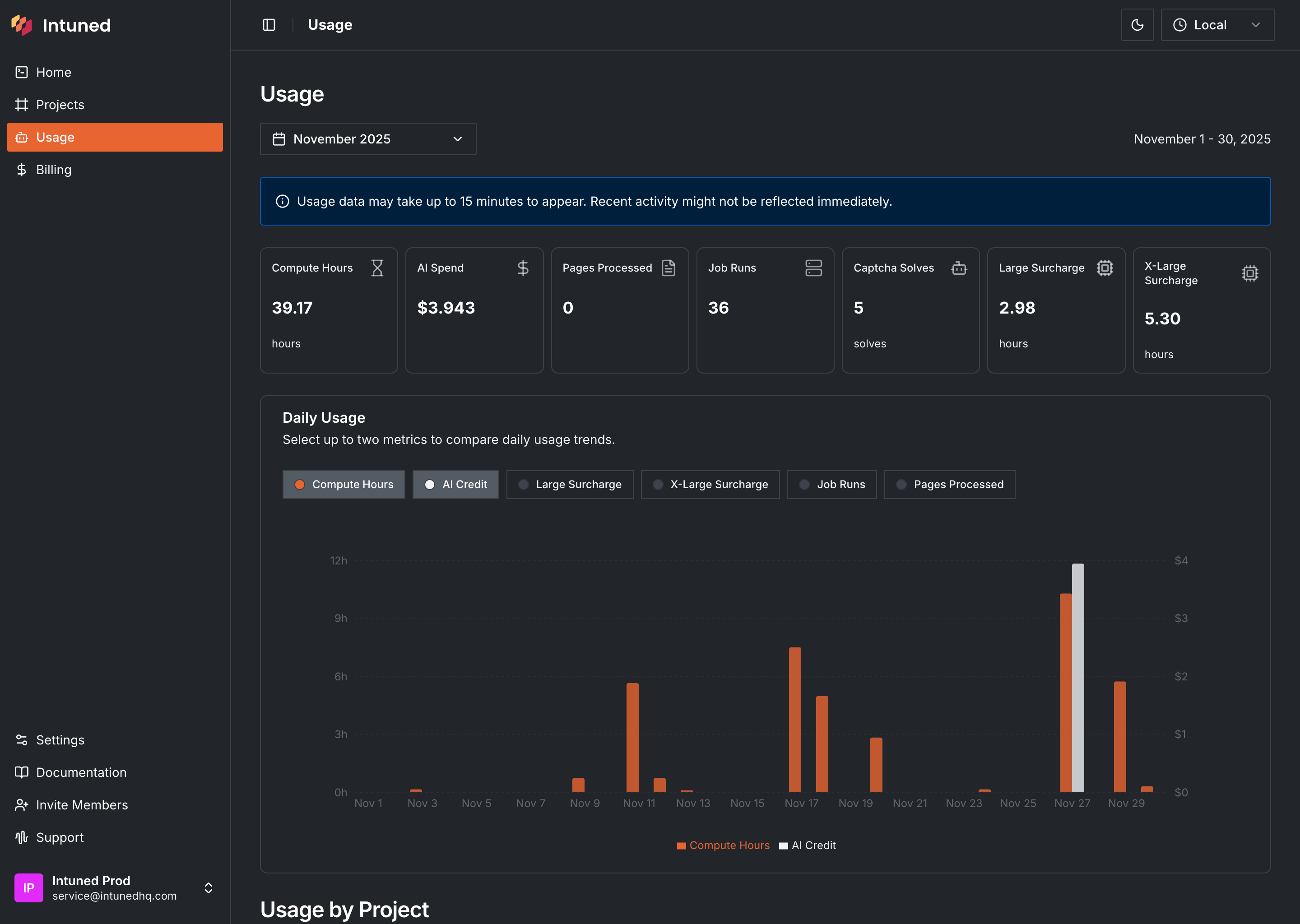
- Usage breakdown — Each metric with current consumption (in usage units, not dollars)
- Daily usage chart — Compare two metrics over time to spot patterns or spikes
- Project breakdown — Which projects are consuming the most resources
To see dollar amounts and overage costs, go to the Billing page.
IntunedAgent usage
The IntunedAgent project tracks usage from Intuned Agent tasks (creating, updating, or fixing projects). This includes AI spend for generated code, compute hours for running task APIs, and any captcha solves during web interactions.Set usage limits
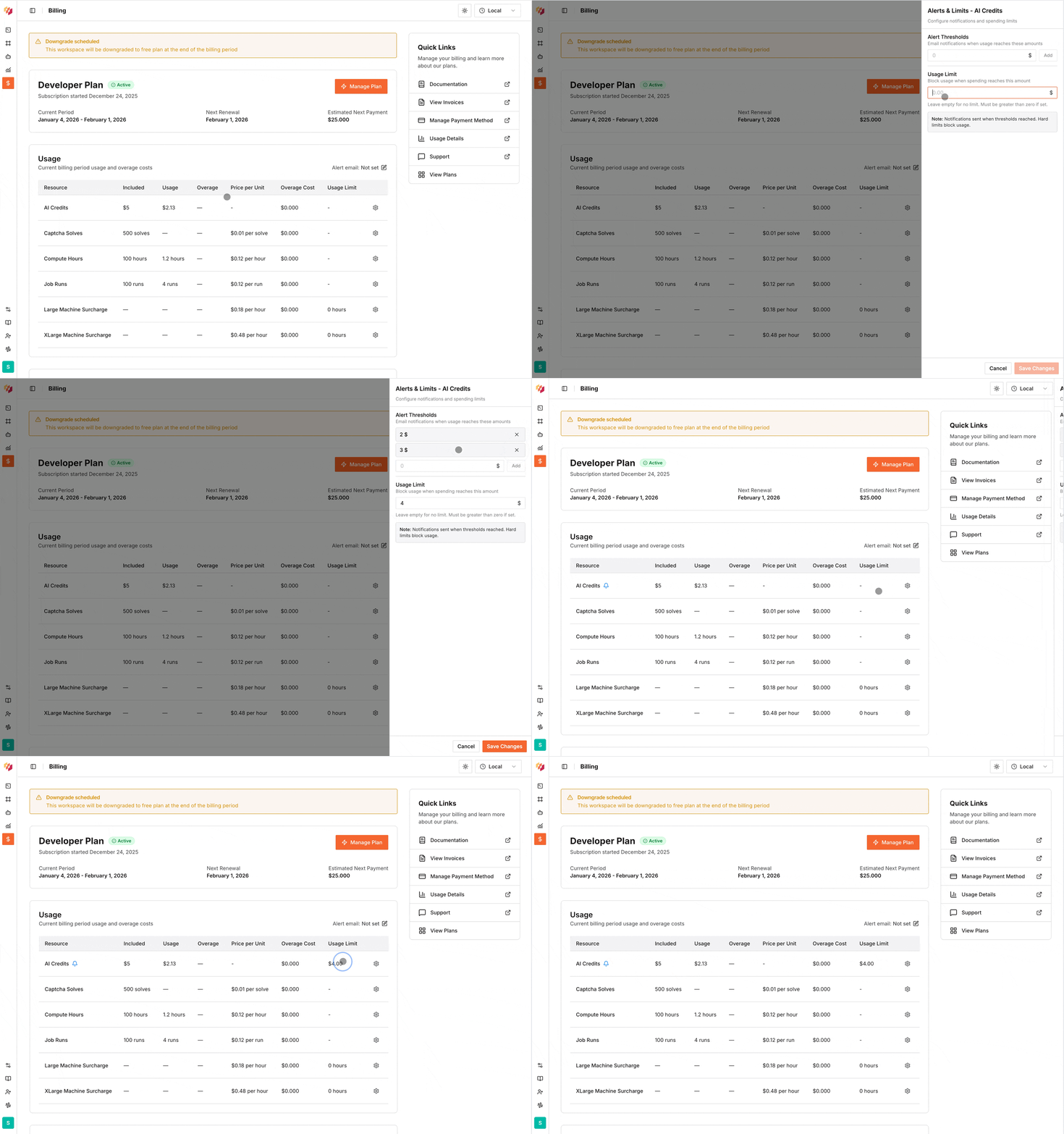
By default, Intuned doesn’t block usage when you exceed plan limits—it charges overages. To avoid unexpected costs, set hard limits on specific metrics.- Go to the Billing page.
- In the usage table, find the metric and select .
- Enter your limit value and select Save Changes.
Configure alerts
Get notified before hitting limits:- In the usage table, find the metric and select .
- Enter the threshold value for notifications.
- Select Save Changes.
Change your plan
Go to the Billing page to upgrade or downgrade. Upgrades take effect immediately. Your invoice includes a prorated charge for the new plan, a credit for unused time on your current plan, and any overages up to the upgrade date. Downgrades take effect at the start of the next billing cycle. Any overages from the current cycle are billed normally.To cancel your subscription, downgrade to the Free plan.
View invoices and manage payment
From the Billing page, you can:- View expected charges for the next billing cycle (including projected overages)
- Download past invoices
- Add or update payment methods
Free plan
The Free plan lets you explore Intuned without payment information. It includes limited resources with hard limits—no overages. Once you hit limits, upgrade to continue.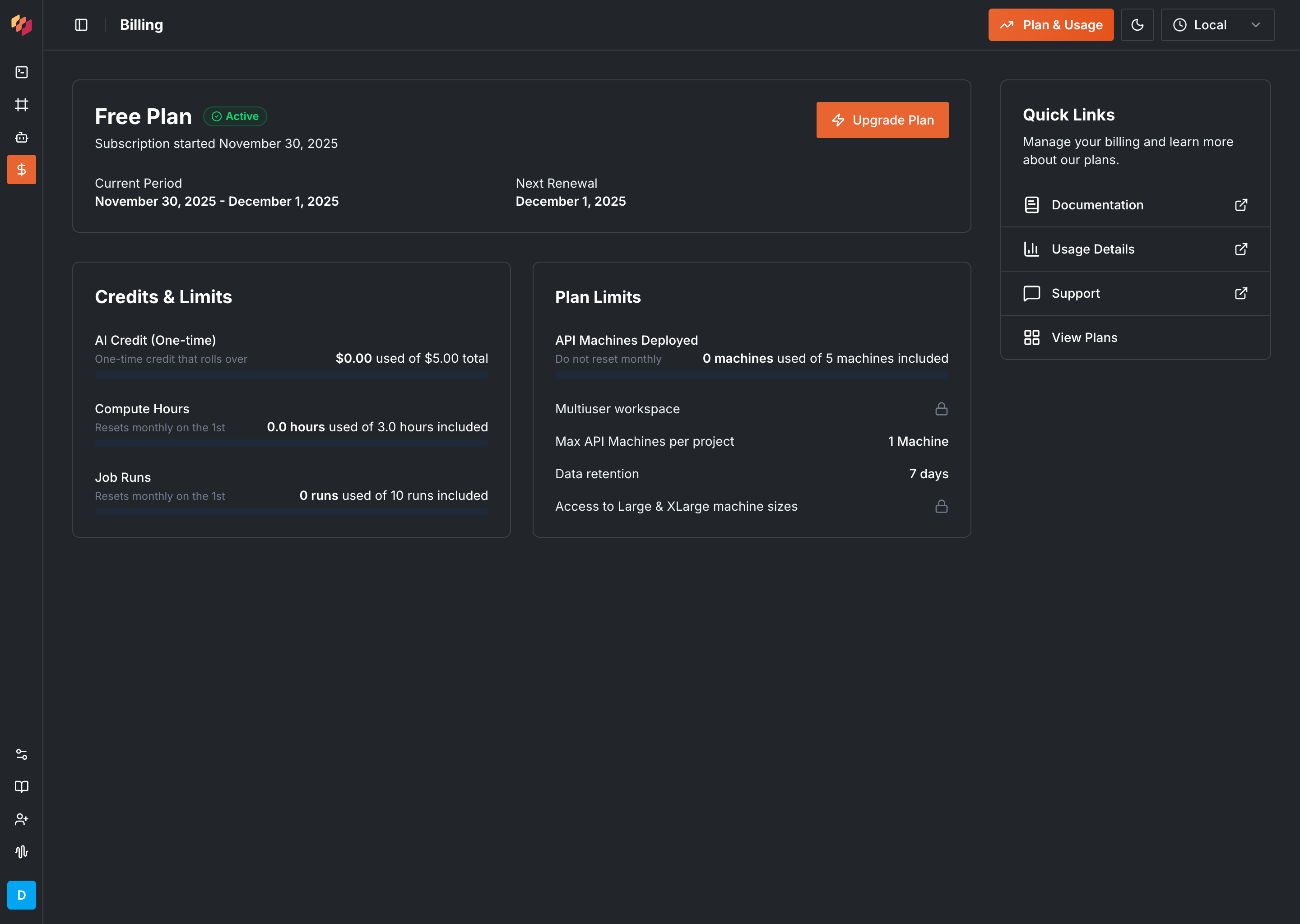
Usage metrics reference
| Metric | What it measures |
|---|---|
| Compute hours | Time your machine workers spend executing APIs and JobRuns |
| AI spend | Dollars spent on AI processing from AI SDK methods and Intuned Agent tasks |
| JobRuns | Number of JobRuns executed |
| Captcha solves | Captcha challenges solved (details) |
| Large machines surcharge | Additional hours for large machine types |
| X-Large machines surcharge | Additional hours for extra-large machine types |
| Pages processed | PDF pages processed through Intuned’s PDF capabilities |
Workspace limits
Your plan determines workspace constraints beyond usage metrics:- Maximum concurrent machines
- Maximum machines per project
- Data retention period
- Access to large/x-large machine types
FAQs
When does my billing cycle start?
When does my billing cycle start?
Billing cycles start on the 1st of every month. Your plan fee is charged along with any overages from the previous month.
How are overages calculated?
How are overages calculated?
Overages are usage beyond your plan limits, charged at per-unit rates. See the Plans reference for rates.
Do unused credits roll over?
Do unused credits roll over?
No. Unused plan allowances don’t roll over and aren’t refundable.
What payment methods do you accept?
What payment methods do you accept?
Visit the Billing page and select Manage Payment Methods to see options for your region.
Related resources
Plans reference
Plan features and pricing details
Manage your workspace
Configure workspace settings